



Price: ₹7,910 - ₹7,691.00
(as of Dec 13, 2025 19:34:18 UTC – Details)
From the manufacturer

Axor Altor Smart Helmet
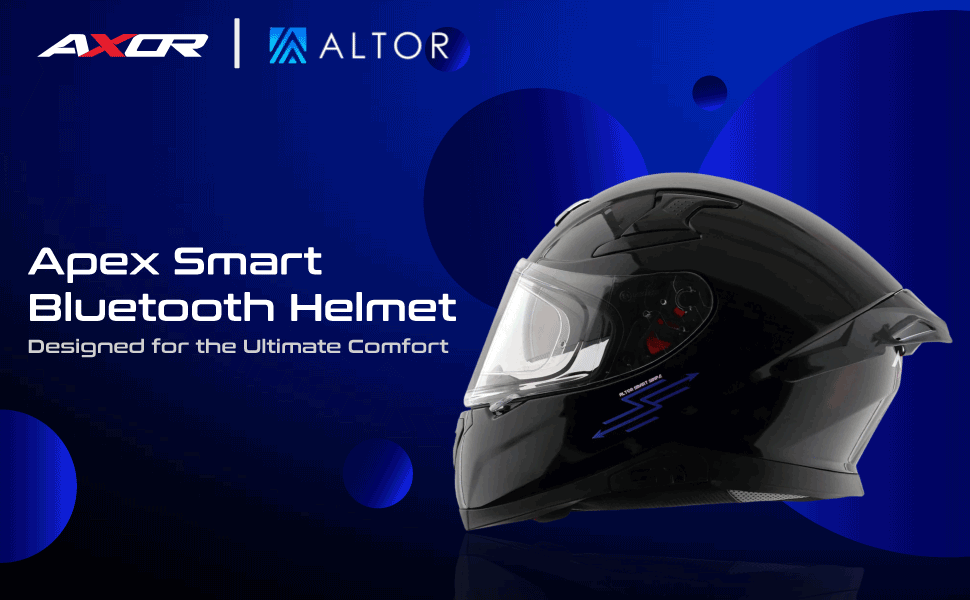
Axor Smart Helmet – Bluetooth Enabled with Swipe Control Experience the perfect blend of safety and smart technology with the Axor Smart Helmet, designed for modern riders who demand convenience on the go.
Swipe-Controlled: With the innovative Altor Smart Swipe zone on the left side of the helmet, you can answer or reject calls, and play or pause music effortlessly. A single swipe keeps you connected without distraction, ensuring safer rides.Bluetooth Enabled: Seamlessly connect your smartphone for hands-free communication and entertainment while you ride.
The Axor Smart Helmet combines cutting-edge tech with premium design, making every ride smarter, safer, and more enjoyable.
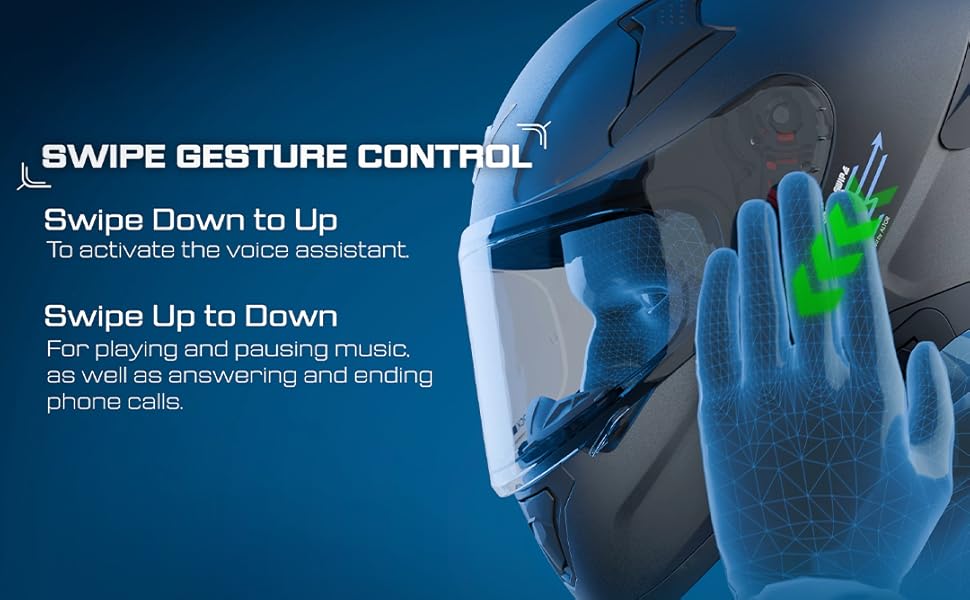
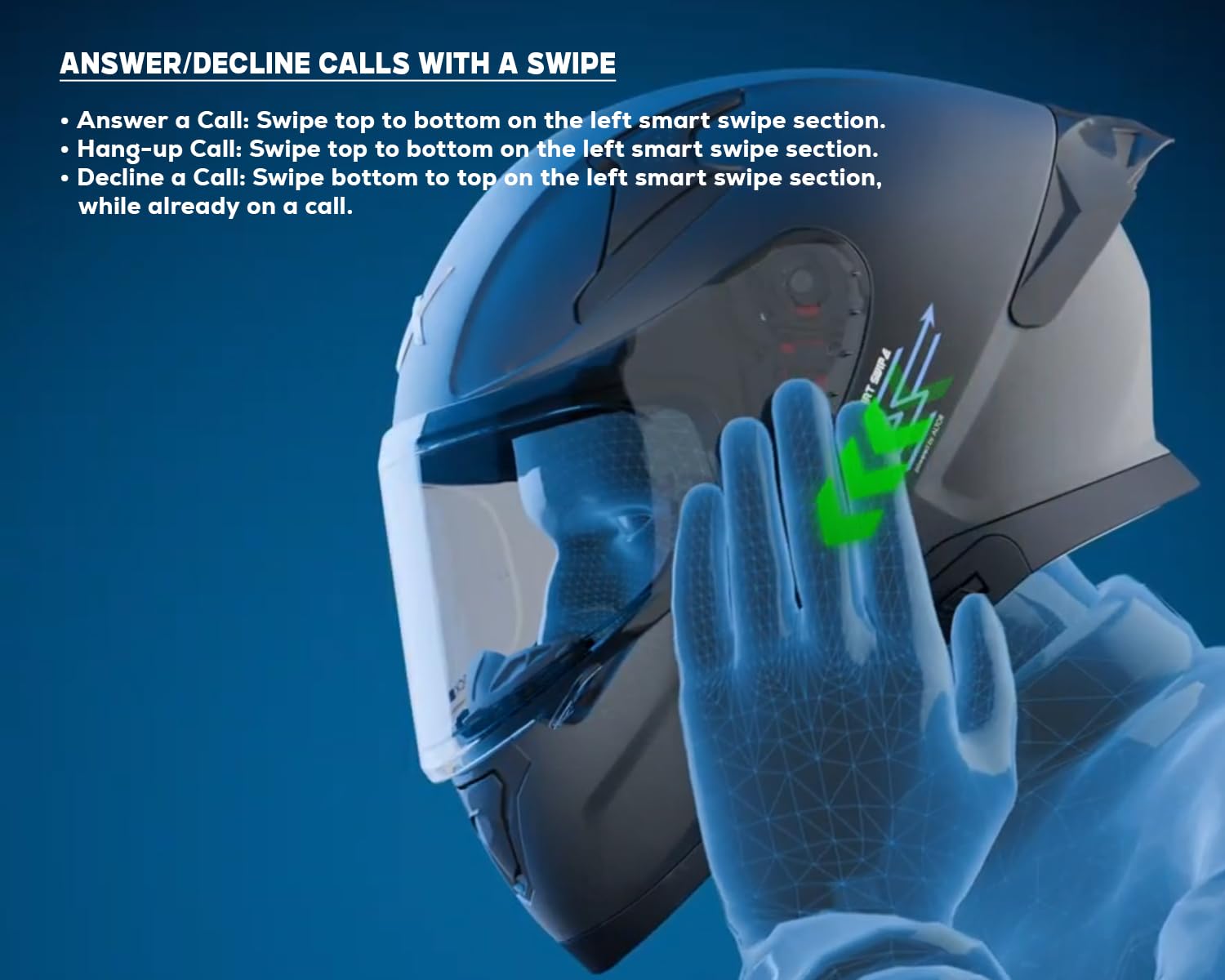
Answer/Decline Calls with a Swipe • Answer a Call: Swipe top to bottom on the left smart swipe section. • Hang-up Call: Swipe top to bottom on the left smart swipe section. • Decline a Call: Swipe bottom to top on the left smart swipe section, while already on a call.
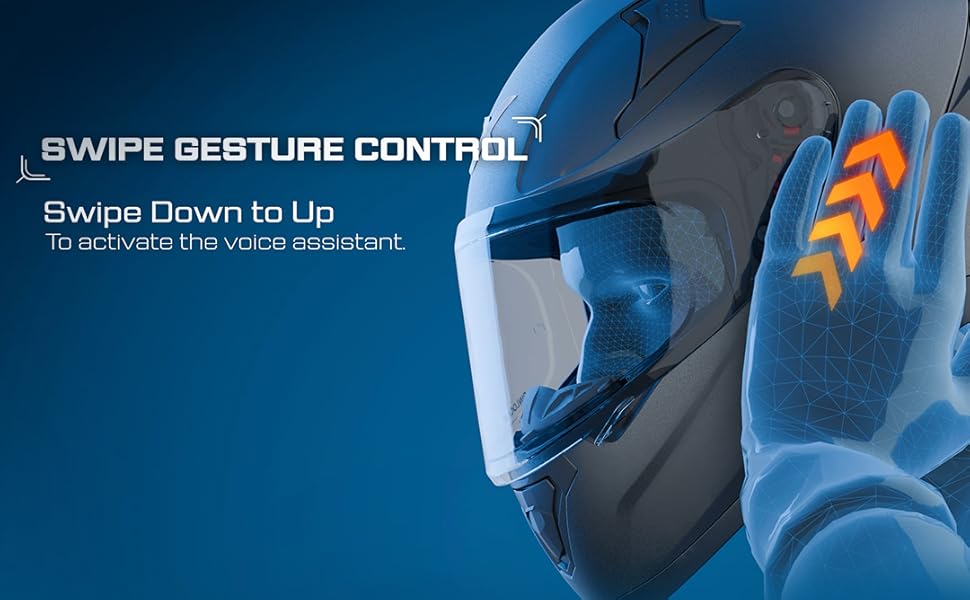
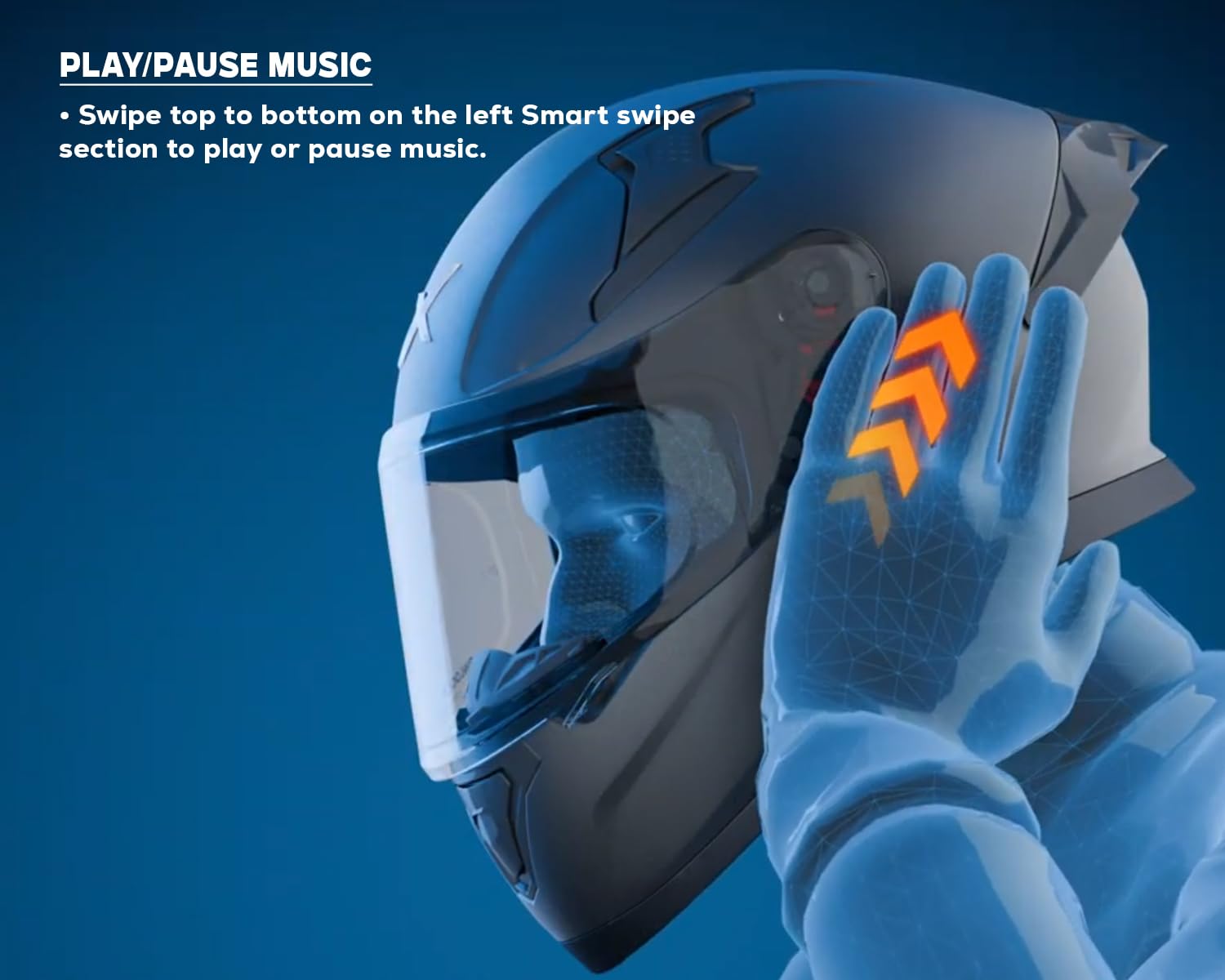
Activate Your Voice Assistant • Swipe bottom to top on the left smart swipe section. Give voice commands like: • “Take me to the nearest petrol pump.” • “Turn up the music volume.” • Audio feedback confirms your actions. Play/Pause Music • Swipe top to bottom on the left Smart swipe section to play or pause music.
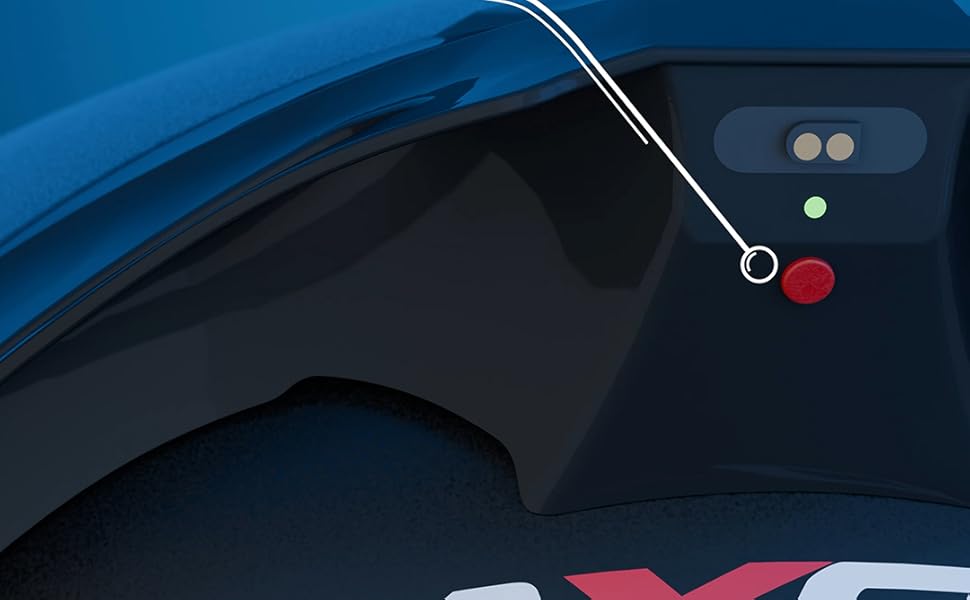
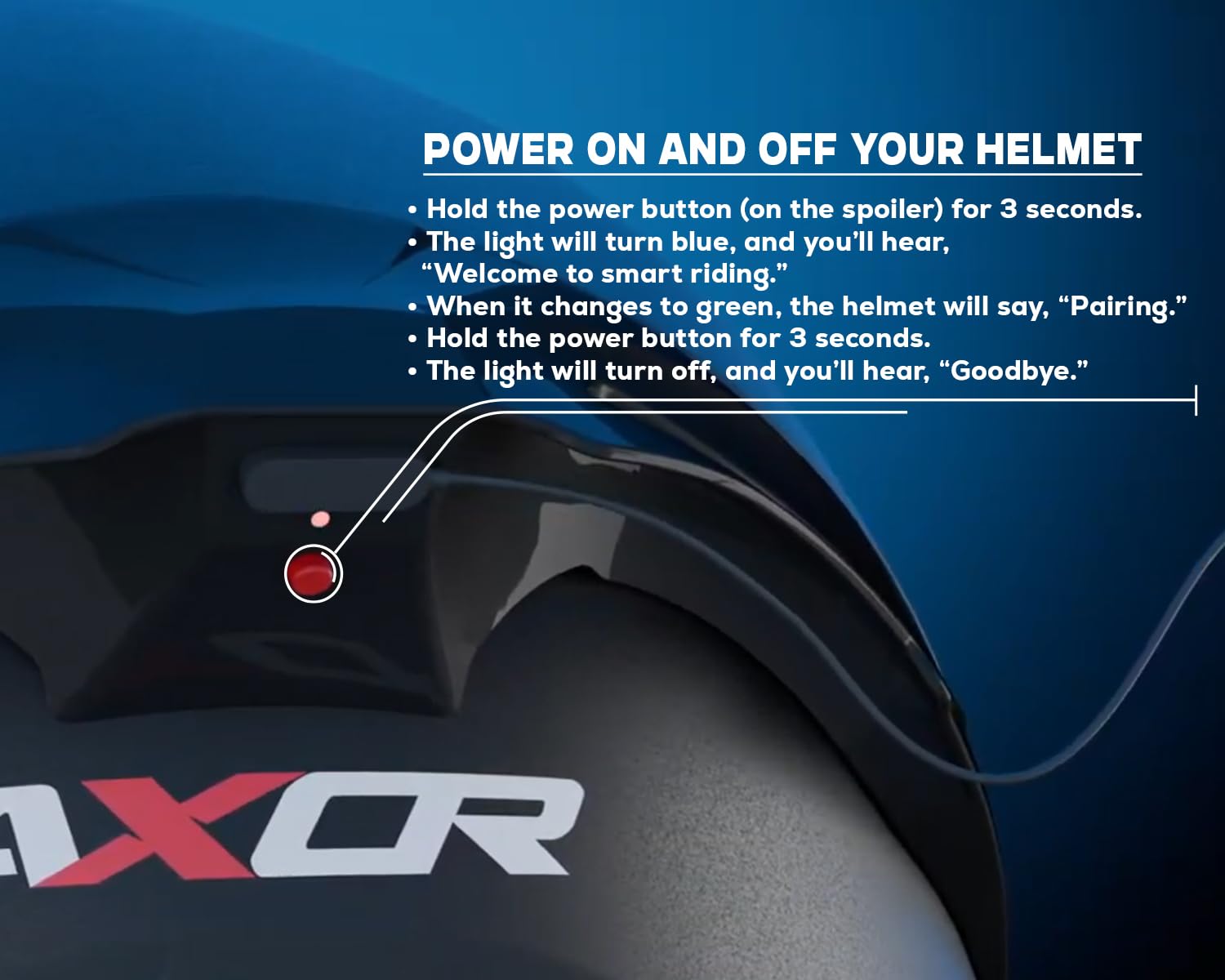
Power On and Off Your Helmet
• Hold the power button (on the spoiler) for 3 seconds. • The light will turn blue, and you’ll hear, “Welcome to smart riding.” • When it changes to green, the helmet will say, “Pairing.” • Hold the power button for 3 seconds. • The light will turn off, and you’ll hear, “Goodbye.”
Effortlessly Charge and get 30+ hours of power in one go
Power On and Off Your Helmet Hold the power button (on the spoiler) for 3 seconds. The light will turn blue, and you’ll hear, “Welcome to smart riding.” When it changes to green, the helmet will say, “Pairing.” Hold the power button for 3 seconds. The light will turn off, and you’ll hear, “Goodbye.”
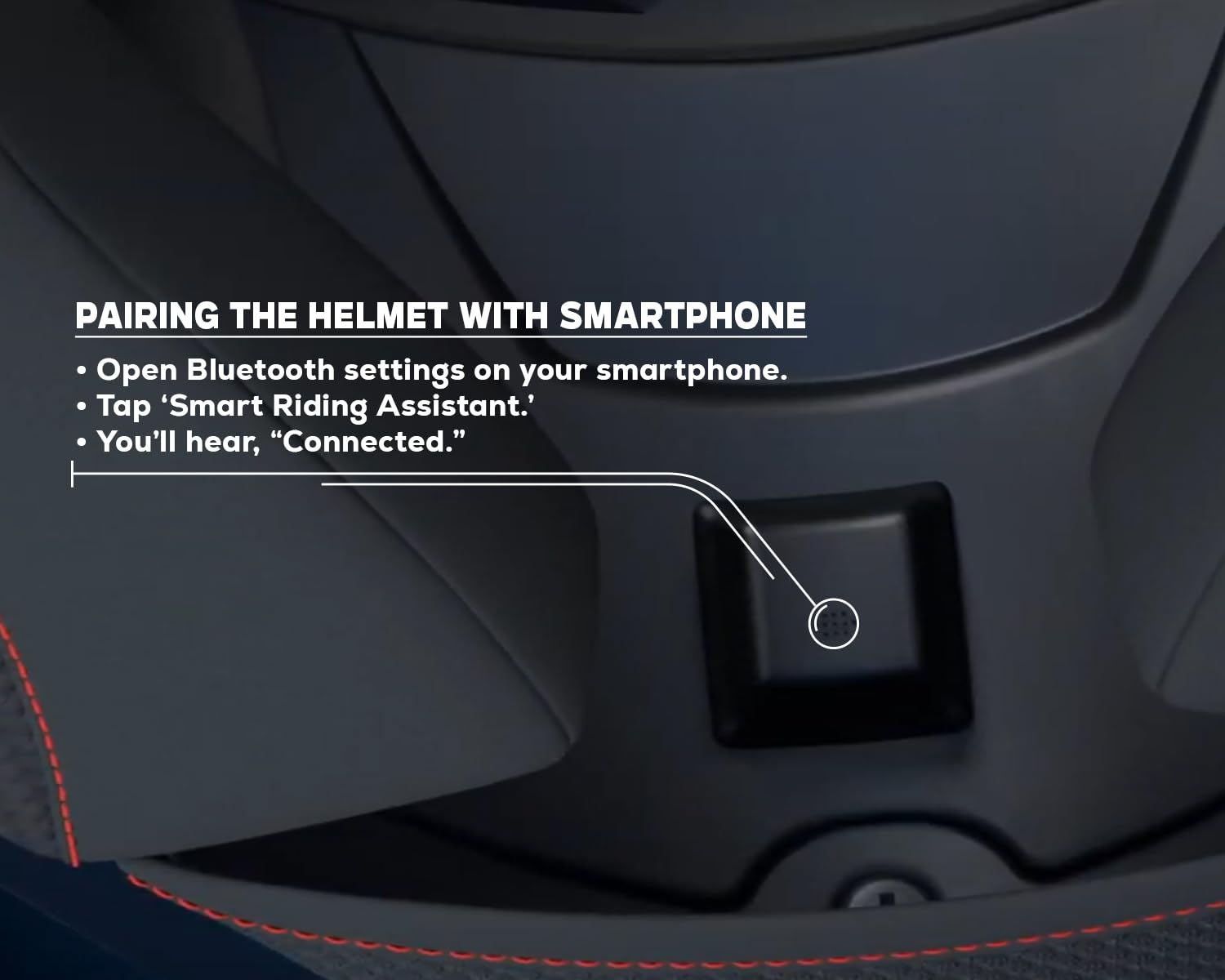
Pairing the Helmet with Smartphone Open Bluetooth settings on your smartphone. Tap ‘Smart Riding Assistant.’ You’ll hear, “Connected.”
Answer/Decline Calls with a Swipe Answer a Call: Swipe top to bottom on the left smart swipe section. Hang-up Call: Swipe top to bottom on the left smart swipe section. Decline a Call: Swipe bottom to top on the left smart swipe section, while already on a call.
Activate Your Voice Assistant Swipe bottom to top on the left smart swipe section. Give voice commands like: “Take me to the nearest petrol pump.” “Turn up the music volume.” Audio feedback confirms your actions.
Play/Pause Music Swipe top to bottom on the left Smart swipe section to play or pause music.
Customers say
Customers find the helmet comfortable and appreciate its good fit. However, the build quality and sound quality receive mixed reviews, with some finding it good while others express dissatisfaction. Moreover, the Bluetooth connectivity and gesture functionality are problematic, with multiple customers reporting issues with the right side speaker not working and Bluetooth connectivity problems. Additionally, several customers mention receiving the helmet without a charging cable.


